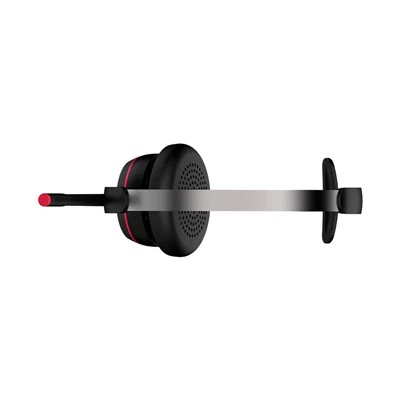
Connecting a Bluetooth dongle headset to your phone can seem like a daunting task, especially if you're not tech-savvy. But fear not! As a supplier of high - quality Bluetooth dongle headsets, I'm here to guide you through the process step by step.
Understanding the Basics
Before we jump into the connection process, let's understand what a Bluetooth dongle headset is. A Bluetooth dongle headset consists of two main parts: the headset itself and a Bluetooth dongle. The dongle is a small device that can be plugged into a device (in this case, your phone) to enable Bluetooth connectivity. It acts as a bridge between your phone and the headset, allowing them to communicate wirelessly.
Our company offers a wide range of Bluetooth dongle headsets, including the Professional Business Bluetooth UC Headset and the Bluetooth Headset with Dongle. These headsets are designed for various purposes, from business use to casual listening.
Prerequisites
Before attempting to connect your Bluetooth dongle headset to your phone, there are a few things you need to ensure:
- Compatibility: Make sure your phone supports Bluetooth technology. Most modern smartphones do, but it's always a good idea to double - check.
- Power: Ensure that your headset is fully charged or has fresh batteries. A low - power headset may not connect properly or may disconnect during use.
- Dongle Compatibility: Check if the Bluetooth dongle is compatible with your phone. Some dongles are designed for specific operating systems or phone models.
Step - by - Step Connection Process
Step 1: Prepare the Headset
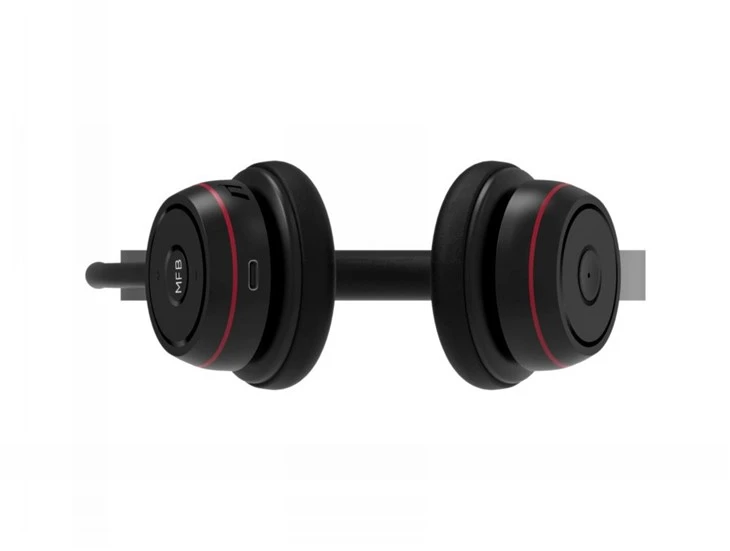
First, turn on your Bluetooth dongle headset. The process may vary depending on the model. Usually, you'll need to press and hold the power button until the indicator light starts flashing. This indicates that the headset is in pairing mode.

Step 2: Activate Bluetooth on Your Phone
Go to your phone's settings. Look for the "Bluetooth" option and turn it on. Once Bluetooth is enabled, your phone will start searching for available Bluetooth devices.
Step 3: Pair the Dongle with Your Phone
If your Bluetooth dongle has a separate pairing process, follow the manufacturer's instructions to put it into pairing mode. Then, on your phone, select the Bluetooth dongle from the list of available devices. You may be prompted to enter a passcode. The default passcode for most Bluetooth devices is "0000" or "1234". Enter the passcode and click "Pair".
Step 4: Connect the Headset to the Dongle
After successfully pairing the dongle with your phone, the next step is to connect the headset to the dongle. If the headset and dongle are designed to work together, they should automatically connect once they're in range. If not, you may need to put the headset back into pairing mode and search for it on the dongle.
Step 5: Test the Connection
Once the connection is established, play some audio on your phone. You should hear the sound coming from the headset. If you don't, check the volume settings on both your phone and the headset. You may also need to adjust the audio output settings on your phone to ensure that the sound is being sent to the headset.
Troubleshooting Common Issues
Even if you follow the steps correctly, you may encounter some issues when connecting your Bluetooth dongle headset to your phone. Here are some common problems and their solutions:
Connection Fails
- Check the Range: Bluetooth has a limited range, usually around 10 meters. Make sure your phone and the headset are within this range.
- Restart Devices: Sometimes, simply restarting your phone and the headset can solve the problem. Turn off both devices, wait a few seconds, and then turn them back on.
- Update Firmware: Check if there are any firmware updates available for your headset or the Bluetooth dongle. Updating the firmware can often fix compatibility issues.
Poor Sound Quality
- Interference: Bluetooth signals can be affected by other electronic devices. Move away from sources of interference, such as Wi - Fi routers or microwave ovens.
- Battery Level: A low - battery headset may produce poor sound quality. Charge the headset or replace the batteries.
Benefits of Using a Bluetooth Dongle Headset
Using a Bluetooth dongle headset offers several benefits:
- Wireless Freedom: You can move around freely without being restricted by cables. This is especially useful for activities such as walking, running, or working in different parts of the room.
- Multiple Device Connectivity: You can connect the headset to multiple devices, such as your phone, tablet, or laptop. This allows you to switch between devices easily.
- Noise Cancellation: Many Bluetooth dongle headsets come with noise - cancellation technology, which reduces background noise and provides a clearer audio experience.
Why Choose Our Bluetooth Dongle Headsets
As a leading supplier of Bluetooth dongle headsets, we take pride in offering high - quality products. Our headsets are designed with the latest technology to ensure a seamless and reliable connection. We also provide excellent customer support to help you with any issues you may encounter.
Our Professional Business Bluetooth UC Headset is perfect for business users. It offers clear audio, noise cancellation, and a comfortable fit, making it ideal for long - hours of use. The Bluetooth Headset with Dongle is a great option for casual users who want a reliable and affordable Bluetooth headset.
If you're interested in purchasing our Bluetooth dongle headsets or have any questions about the connection process, we'd love to hear from you. Whether you're a business looking to equip your employees with high - quality headsets or an individual in need of a great audio solution, we can provide the right product for you. Reach out to us to start a procurement discussion and find the perfect Bluetooth dongle headset for your needs.
References
- Manufacturer's user manuals for Bluetooth dongle headsets
- General knowledge of Bluetooth technology and device connectivity