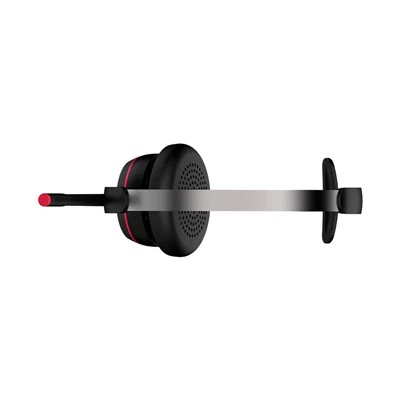
In the era of digital connectivity, wireless Bluetooth earphones have become an indispensable accessory for many. As a supplier of Wireless Bluetooth Earphones, I've witnessed firsthand the growing demand for these devices. However, one question that often arises among consumers is whether wireless Bluetooth earphones are affected by interference. In this blog, we'll delve into the science behind Bluetooth technology, explore the potential sources of interference, and discuss how to mitigate these issues.
Understanding Bluetooth Technology
Bluetooth is a short-range wireless technology standard that uses radio waves to connect devices over short distances. It operates in the 2.4 GHz frequency band, which is also used by other wireless devices such as Wi-Fi routers, microwave ovens, and cordless phones. The 2.4 GHz band is divided into 79 channels, each 1 MHz wide, and Bluetooth devices use a technique called frequency hopping spread spectrum (FHSS) to avoid interference.
FHSS works by rapidly switching between different channels in the 2.4 GHz band. This means that even if there is interference on one channel, the Bluetooth device can quickly switch to another channel to maintain a stable connection. Bluetooth devices typically hop between channels at a rate of 1,600 times per second, which makes it difficult for other devices to interfere with the connection.
Potential Sources of Interference
Despite the use of FHSS, wireless Bluetooth earphones can still be affected by interference from other devices. Here are some of the most common sources of interference:
Wi-Fi Routers
Wi-Fi routers also operate in the 2.4 GHz frequency band, which can cause interference with Bluetooth devices. When a Wi-Fi router is operating on the same channel as a Bluetooth device, it can disrupt the connection and cause audio dropouts or static. To avoid this, it's recommended to use a Wi-Fi router that supports the 5 GHz frequency band, which is less crowded and less likely to cause interference.
Microwave Ovens
Microwave ovens emit electromagnetic radiation in the 2.4 GHz frequency band, which can interfere with Bluetooth devices. When a microwave oven is in use, it can cause interference with nearby Bluetooth earphones, resulting in audio dropouts or static. To avoid this, it's recommended to keep Bluetooth earphones away from microwave ovens when they are in use.
Cordless Phones
Cordless phones also operate in the 2.4 GHz frequency band, which can cause interference with Bluetooth devices. When a cordless phone is in use, it can disrupt the connection between Bluetooth earphones and a paired device, resulting in audio dropouts or static. To avoid this, it's recommended to use a cordless phone that operates on a different frequency band, such as 5.8 GHz.
Other Bluetooth Devices
Multiple Bluetooth devices in close proximity can also cause interference with each other. When two or more Bluetooth devices are operating on the same channel, they can interfere with each other's signals, resulting in audio dropouts or static. To avoid this, it's recommended to keep Bluetooth devices away from each other when they are in use.
Mitigating Interference
While interference is an inevitable part of using wireless Bluetooth earphones, there are several steps you can take to mitigate its effects. Here are some tips to help you reduce interference and improve the performance of your Bluetooth earphones:
Use a High-Quality Bluetooth Device
Using a high-quality Bluetooth device can help reduce interference and improve the performance of your Bluetooth earphones. Look for devices that support the latest Bluetooth standards, such as Bluetooth 5.0 or higher, which offer better range, faster data transfer speeds, and improved resistance to interference.
Keep Your Bluetooth Devices Updated
Keeping your Bluetooth devices updated with the latest firmware can help improve their performance and reduce the risk of interference. Check the manufacturer's website regularly for firmware updates and install them as soon as they become available.
Move Away from Sources of Interference
If you're experiencing interference with your Bluetooth earphones, try moving away from the source of the interference. For example, if you're using your earphones near a Wi-Fi router, try moving to a different room or turning off the router temporarily.
Use a Bluetooth Range Extender
If you're having trouble getting a strong signal from your Bluetooth earphones, you can try using a Bluetooth range extender. A Bluetooth range extender can help boost the signal strength and extend the range of your Bluetooth devices, allowing you to use them in areas where the signal is weak.
Use a Wired Connection
If all else fails, you can always use a wired connection to connect your earphones to your device. While this may not be as convenient as using wireless Bluetooth earphones, it can help eliminate interference and ensure a stable connection.


Conclusion
In conclusion, wireless Bluetooth earphones can be affected by interference from other devices, but there are several steps you can take to mitigate its effects. By understanding the science behind Bluetooth technology, identifying potential sources of interference, and taking steps to reduce interference, you can enjoy a high-quality audio experience with your Bluetooth earphones.
As a supplier of Wireless Bluetooth Earphones, we're committed to providing our customers with high-quality products that offer a reliable and interference-free audio experience. If you're interested in purchasing our wireless Bluetooth earphones or have any questions about our products, please don't hesitate to contact us. We'd be happy to assist you with your purchase and answer any questions you may have.
References
- Bluetooth SIG. (n.d.). Bluetooth Technology Overview. Retrieved from https://www.bluetooth.com/learn-about-bluetooth/tech-overview/
- Federal Communications Commission. (n.d.). Wireless Devices and Radio Frequency (RF) Exposure. Retrieved from https://www.fcc.gov/consumers/guides/wireless-devices-and-radio-frequency-rf-exposure
- Wi-Fi Alliance. (n.d.). Wi-Fi Technology Overview. Retrieved from https://www.wi-fi.org/discover-wi-fi/wi-fi-technology