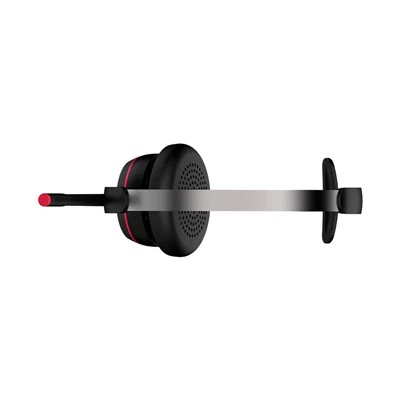
Cleaning a professional UC wireless headset is a crucial aspect of maintaining its performance and longevity. As a supplier of Professional UC Wireless Headsets, I understand the importance of proper cleaning and care. In this blog, I'll share some effective methods and tips on how to clean these headsets.
Why Cleaning is Important
Before diving into the cleaning process, it's essential to understand why cleaning a professional UC wireless headset is so vital. These headsets are often used in high - intensity work environments, such as call centers. Over time, they accumulate dirt, sweat, and earwax. This build - up can not only affect the audio quality but also lead to hygiene issues. A dirty headset may cause discomfort to the user and can even impact the overall performance of the device.
Pre - cleaning Preparations
First, make sure the headset is turned off and disconnected from any power source or device. This is a basic safety measure to prevent any electrical damage. It's also a good idea to remove any detachable parts, such as ear cushions or microphone covers. These parts can be cleaned separately, which often makes the cleaning process more thorough.
Cleaning the Ear Cushions
The ear cushions are in direct contact with the user's ears, so they tend to get dirty quickly. For most ear cushions made of fabric or leatherette, a mild soap and water solution can be used. Dip a soft cloth into the soapy water, wring it out well to avoid excess moisture, and then gently wipe the ear cushions. Make sure to clean both the outer and inner surfaces. After cleaning, rinse the cloth with clean water and wipe the ear cushions again to remove any soap residue. Let the ear cushions air - dry completely before reattaching them to the headset.
If the ear cushions are made of a more delicate material, such as memory foam, it's better to use a specialized cleaning solution designed for foam materials. These solutions are usually gentle and can effectively clean the foam without causing damage.


Cleaning the Headband
The headband is another part that can get dirty, especially if the user sweats a lot. Similar to the ear cushions, a mild soap and water solution can be used to clean the headband. Use a soft cloth to wipe the headband, paying attention to any crevices where dirt may accumulate. For stubborn stains, you can use a soft - bristled brush to gently scrub the area. After cleaning, dry the headband thoroughly.
Cleaning the Microphone
The microphone is a critical component of the headset, and keeping it clean is essential for clear audio transmission. Use a dry, soft - bristled brush to gently remove any dust or debris from the microphone grille. If there is more stubborn dirt, you can moisten a cotton swab with a small amount of isopropyl alcohol and carefully clean the grille. Make sure not to let the alcohol seep into the microphone.
Cleaning the Body of the Headset
The body of the headset can be cleaned with a slightly damp cloth. Use a soft cloth and a mild cleaning solution. Wipe the entire surface of the headset, including the buttons and the charging port. Be careful not to get water into the charging port or any other openings. If there are any hard - to - reach areas, you can use a toothpick wrapped in a soft cloth to clean them.
Special Considerations for Different Headset Models
Different models of professional UC wireless headsets may have specific cleaning requirements. For example, some headsets may have a water - resistant design, which allows for more thorough cleaning. However, it's still important to follow the manufacturer's instructions.
For headsets with advanced features like noise - canceling technology, such as the Professional Noise - canceling Call Center Headsets, AI Noise Cancelling Business Headset with Removable Battery, and AI Noise Cancelling Wireless Bluetooth Headset for Office Use, extra care should be taken to ensure that the cleaning process does not damage these features.
Frequency of Cleaning
The frequency of cleaning depends on how often the headset is used. For headsets used in a call center environment where they are used for long hours every day, it's recommended to clean them at least once a week. For less - frequently used headsets, cleaning once every two weeks or once a month may be sufficient.
Tips for Maintaining a Clean Headset
- Store the headset in a clean and dry place when not in use. This can prevent dust and dirt from accumulating on the headset.
- Encourage users to keep their hands clean before using the headset. This can reduce the amount of dirt and oil transferred to the headset.
- Regularly check the headset for any signs of wear or damage. If any parts are damaged, replace them promptly to maintain the performance of the headset.
Conclusion
Proper cleaning and maintenance of professional UC wireless headsets are essential for ensuring their optimal performance and longevity. By following the methods and tips mentioned above, you can keep your headsets clean and in good working condition.
If you are interested in purchasing high - quality professional UC wireless headsets or have any questions about headset cleaning and maintenance, feel free to contact us for further discussion and procurement negotiation. We are committed to providing you with the best products and services.
References
- General knowledge on headset maintenance and cleaning from industry experience.
- Manufacturer's guidelines for professional UC wireless headsets.