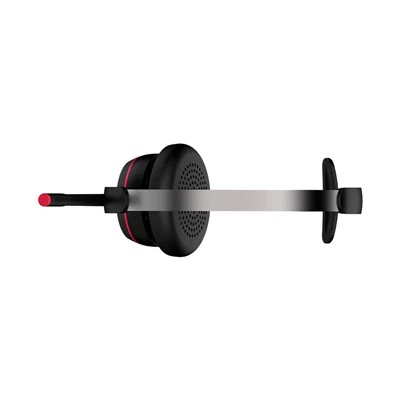
As a supplier of AI noise-canceling single-ear headsets, I often get asked about how to test the noise-canceling performance of these nifty gadgets. Well, let me break it down for you in a way that's easy to understand.


Understanding the Basics of Noise Canceling
Before we dive into the testing process, it's important to know a bit about how noise canceling works. AI noise-canceling single-ear headsets use advanced algorithms to analyze the surrounding noise and generate an anti-noise signal. This anti-noise signal then cancels out the unwanted noise, allowing you to focus on your audio.
Testing Environment
The first step in testing the noise-canceling performance is to set up the right environment. You want to have a space with a variety of noise sources. A good place could be a busy office, a coffee shop, or even near a construction site. The key is to have different types of noise, like low-frequency hums from air conditioners, high-pitched chatter, and random background noise.
Tools You'll Need
To accurately test the noise-canceling performance, you'll need a few tools. A sound level meter is essential. You can get a basic one online for a reasonable price. This device will measure the sound levels before and after you turn on the noise-canceling feature. You'll also need some audio content to play through the headset, like music or a podcast.
Step-by-Step Testing Process
Step 1: Measure the Ambient Noise
First, use the sound level meter to measure the ambient noise in your testing environment. Walk around the area and take readings at different spots to get an average. Write down these readings.
Step 2: Put on the Headset and Play Audio
Put on the AI noise-canceling single-ear headset and play your chosen audio content. Make sure the volume is set at a comfortable level.
Step 3: Measure the Noise with the Headset On (Without Noise Canceling)
With the noise-canceling feature turned off, use the sound level meter again to measure the noise that you can still hear through the headset. Compare this reading with the ambient noise reading you took earlier. You'll notice that there's still a significant amount of noise getting through.
Step 4: Turn On the Noise Canceling Feature
Now, turn on the noise-canceling feature on the headset. Wait a few seconds for the AI to analyze and adjust to the surrounding noise.
Step 5: Measure the Noise with the Headset On (With Noise Canceling)
Once again, use the sound level meter to measure the noise that you can hear through the headset. Compare this reading with the previous one (without noise canceling). The difference between these two readings will give you an idea of how effective the noise-canceling feature is.
Step 6: Subjective Evaluation
In addition to the objective measurements, it's also important to do a subjective evaluation. Pay attention to how the noise-canceling makes you feel. Does it significantly reduce the distractions? Can you focus better on your audio? Rate the performance on a scale of 1 to 10 based on your personal experience.
Comparing Different Models
If you're a supplier like me, you might have multiple models of AI noise-canceling single-ear headsets. It's a good idea to test each model using the same process. This way, you can compare their performance and see which one is the best.
For example, our Office-Specific Single-Ear UC Headset is designed specifically for office environments. It's optimized to cancel out the typical office noises like keyboard typing, phone conversations, and air conditioning hums. On the other hand, our Call Center UC Headset is built to handle the high-volume, chaotic noise of a call center. And our Single-ear Noise-canceling UC Headset is a more general-purpose option that can be used in various settings.
Factors That Can Affect Noise-Canceling Performance
There are several factors that can affect the noise-canceling performance of an AI noise-canceling single-ear headset. One of the most important factors is the fit of the headset. If the headset doesn't fit properly, it won't be able to create a good seal, and noise will leak in. Make sure to adjust the headset so that it fits snugly on your ear.
Another factor is the quality of the microphone. The microphone is used to pick up the surrounding noise, and if it's not of good quality, the noise-canceling algorithm won't be able to accurately analyze and cancel the noise.
The type of noise also matters. Some headsets are better at canceling low-frequency noise, while others are more effective at canceling high-frequency noise. It's important to consider the type of noise you'll be dealing with when choosing a headset.
Conclusion
Testing the noise-canceling performance of an AI noise-canceling single-ear headset is a crucial step in ensuring that you're getting a high-quality product. By following the steps outlined above, you can accurately evaluate the performance of the headset and make an informed decision.
If you're in the market for AI noise-canceling single-ear headsets, we'd love to have a chat with you. Whether you're an office looking to equip your employees, a call center in need of reliable communication tools, or an individual who wants to enjoy a distraction-free audio experience, we've got the right solution for you. Reach out to us to discuss your requirements and explore our range of products.
References
- Some basic knowledge about audio engineering and noise canceling principles from general audio textbooks.
- Practical experience from testing and developing AI noise-canceling single-ear headsets.